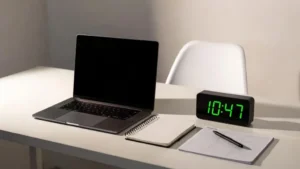
Working on a laptop has become part of everyday life. Whether you’re a remote worker, student, freelancer, or entrepreneur, your laptop is likely the center of your productivity. But while laptops make work flexible and convenient, they also blur the line between work and rest. Many people find themselves working longer hours, feeling mentally drained, and struggling with burnout without realizing how it happened.
Staying productive doesn’t mean pushing yourself harder or staring at a screen for endless hours. True productivity is about working smarter, protecting your energy, and creating habits that help you stay focused without sacrificing your well-being. In this article, you’ll learn practical, realistic ways to stay productive on your laptop while avoiding burnout, even if you work long hours or manage multiple responsibilities.
Understanding Why Laptop Work Often Leads to Burnout
Laptop burnout doesn’t happen overnight. It builds slowly through constant screen exposure, poor posture, endless notifications, and the pressure to always be available. When your laptop is always within reach, it’s easy to fall into the habit of checking emails late at night, working through meals, or skipping breaks.
Another major reason burnout happens is mental overload. Jumping between tabs, apps, and tasks without structure exhausts your brain. Over time, this leads to fatigue, reduced focus, and frustration. Understanding that burnout is often caused by how you work—not how much—helps you take the right steps to prevent it.
Creating a Healthy Laptop Work Routine
Productivity starts with routine. Without a clear structure, laptop work can stretch across your entire day. Setting defined work hours helps your brain know when to focus and when to rest. Even if you’re freelancing or working from home, having a start time and an end time creates boundaries.
Begin your day with a simple plan. Decide what your top priorities are before opening multiple tabs or apps. This prevents reactive work, where you spend the day responding to messages instead of making progress. A consistent routine reduces decision fatigue and helps you stay productive without mental exhaustion.
Optimizing Your Laptop Workspace for Comfort and Focus
Your physical setup plays a huge role in how productive and energized you feel. Working from your bed or couch may feel comfortable at first, but it often leads to poor posture, neck pain, and faster fatigue. A proper workspace doesn’t have to be expensive, but it should support your body.
Position your laptop screen at eye level, keep your back straight, and use a chair that supports your spine. If possible, use an external keyboard or mouse to reduce wrist strain. A comfortable workspace helps you work longer with less physical stress, reducing the risk of burnout.
Managing Screen Time Without Losing Momentum
Staring at a laptop screen for hours drains your eyes and your brain. One of the most effective ways to stay productive without burnout is managing screen time intentionally. Short, regular breaks help reset your focus and prevent mental overload.
The idea isn’t to stop working constantly, but to work in focused intervals. Stepping away from the screen—even for five minutes—can improve concentration and creativity. Looking at something far away, stretching, or simply closing your eyes gives your brain a chance to recover.
Staying Focused by Reducing Digital Distractions
Distractions are one of the biggest productivity killers on laptops. Notifications, social media, emails, and constant messages interrupt your focus and increase stress. Each interruption forces your brain to reset, making work feel harder and more exhausting.
Turning off non-essential notifications during work hours can make a dramatic difference. Keeping only the tools you need open on your laptop helps maintain mental clarity. When you control distractions, you get more done in less time, leaving you with more energy at the end of the day.
Balancing Productivity With Mental Breaks
Many people believe that productivity means working nonstop. In reality, the brain needs rest to function well. Mental breaks aren’t a waste of time—they are essential for sustained performance. Without breaks, your productivity drops even if you stay at your laptop longer.
Healthy breaks involve stepping away from the screen and doing something different. This could be walking, stretching, drinking water, or simply breathing deeply. These small pauses reduce stress and help you return to your laptop with better focus and motivation.
Using Your Laptop More Intentionally
Not all laptop time is productive time. Mindless browsing, excessive multitasking, or switching tasks constantly increases mental fatigue. Being intentional about how you use your laptop helps you stay productive without burnout.
Before starting a task, ask yourself what the goal is. Complete one task before moving to the next whenever possible. Single-tasking improves work quality and reduces stress. When you use your laptop with purpose, you finish work faster and feel more satisfied.
Protecting Your Energy With Healthy Daily Habits
Laptop productivity isn’t just about work habits—it’s also about lifestyle choices. Poor sleep, dehydration, and lack of movement make laptop work feel harder than it should. Even the best productivity system won’t help if your body is exhausted.
Getting enough sleep improves focus and decision-making. Drinking water keeps your brain alert. Regular movement prevents stiffness and boosts energy. These simple habits support your ability to work productively without feeling burnt out.
Knowing When to Stop and Disconnect
One of the hardest parts of laptop work is knowing when to stop. Because work is always accessible, many people struggle to disconnect. However, constantly working without clear limits leads directly to burnout.
Set a clear end-of-day routine. Shut down your laptop, log out of work accounts, and mentally transition into personal time. Disconnecting isn’t laziness—it’s recovery. When you allow yourself to rest, you return to work more focused and productive the next day.
FAQs
How many hours should I work on my laptop daily to avoid burnout?
There’s no universal number, but most people perform best with focused work blocks and regular breaks. Listening to your energy levels is more important than tracking hours.
Can taking breaks really improve productivity?
Yes. Short breaks help reset your brain, reduce mental fatigue, and improve concentration, making your overall work time more effective.
What’s the biggest mistake people make when working on laptops?
Working without boundaries. Constant availability, poor posture, and lack of breaks are common causes of burnout.
How can I stay productive on my laptop if I feel mentally drained?
Reduce distractions, simplify tasks, take short breaks, and focus on one thing at a time. Mental clarity often returns when pressure is reduced.
Is burnout only caused by overworking?
No. Burnout can also come from poor work habits, lack of control, constant interruptions, and neglecting physical and mental health.
Conclusion: Productivity Without Burnout Is Possible
Staying productive on your laptop doesn’t require longer hours or constant pressure. It requires balance, awareness, and intentional habits that protect your energy. By creating a healthy routine, reducing distractions, taking meaningful breaks, and knowing when to disconnect, you can work efficiently without feeling exhausted.
Burnout isn’t a sign of weakness—it’s a sign that something in your work approach needs adjustment. When you respect your limits and use your laptop as a tool rather than a trap, productivity becomes sustainable, satisfying, and healthier in the long run.